The Submodule User Administration serves primarily for editing user details and specific user rights within the ticketing system
(this module is only for administration role).
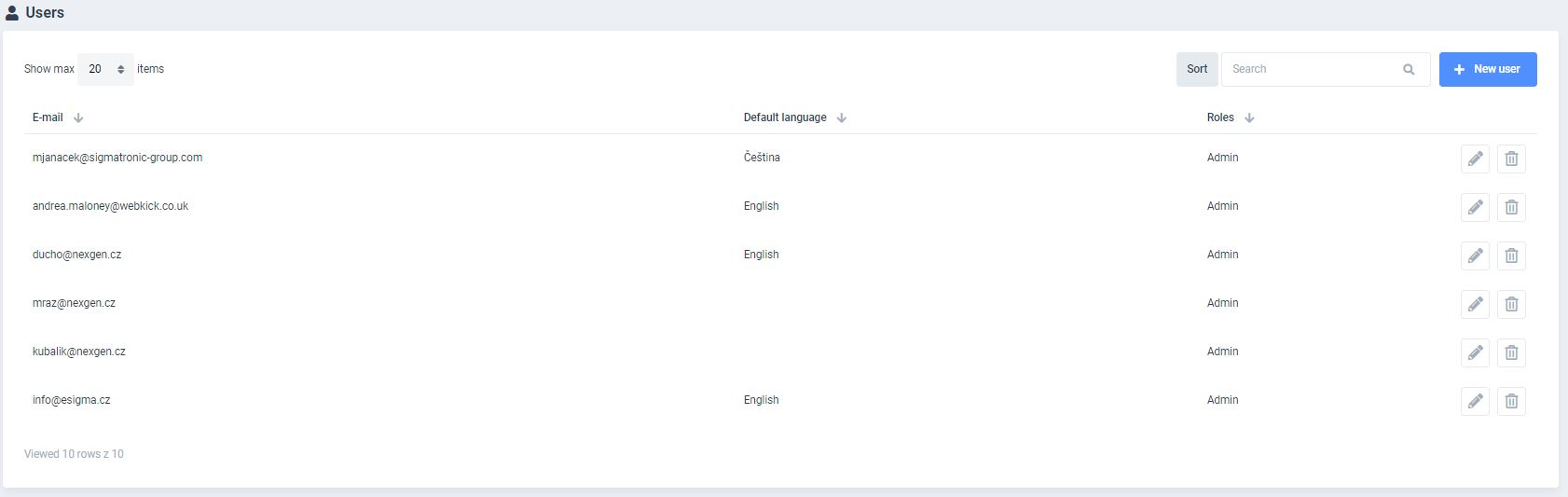
A table with the list of all system users is available upon opening the submodule. A full-text search, advanced filtering and a specified item-per-page display can be performed.
Following parameters can be defined: email address, language and role.
It is also possible to perform following actions:
- EDIT
- DELETE
EDIT USER window is displayed after pressing NEW USER or EDIT USER. Parameters of selected users can be defined through this settings. An E-MAIL address can be allocated as well as PASSWORD AND REPEAT PASSWORD. A user ROLE and DEFAULT LANGUAGE can be attributed through a selector menu.
Following two editors serve for SIGNATUREAND EXTENDED SIGNATURE. This signature is displayed in the footer and helps to identify each user of the ticketing system in their communication with the customer. The EXTENDED SIGNATURE is submitted with a first response, while SIGNATURE is sent with each following interaction (note: if the extended signature is not available, a standard signature will be attached).
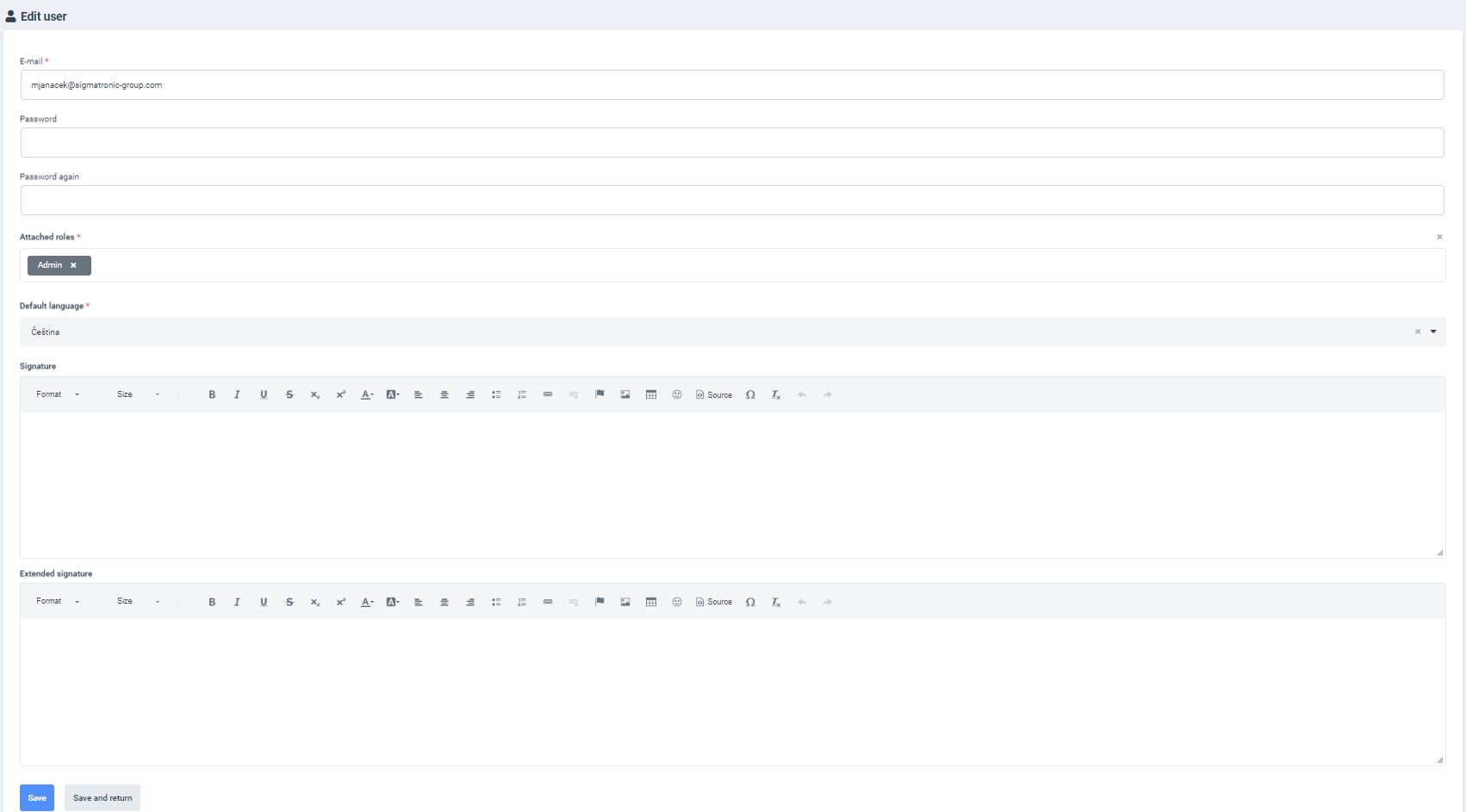
After filling out all fields it is important to save all edits. SAVE or SAVE AND RETURN buttons can be used to save the last action.
An important note: the RETURN button in the BROWSER will abort the saving process and will NOT SAVE the last performed action.

