The Origin submodule helps to identify the source of all tickets, from automatically generated to manually uploaded into the Ticketing Support System. In the Origin submodule it is also possible to define the default origin of any ticket.
The origin of any ticket can be either loaded automatically from the mailbox or manually uploaded, e.g. after a phone call with a client.
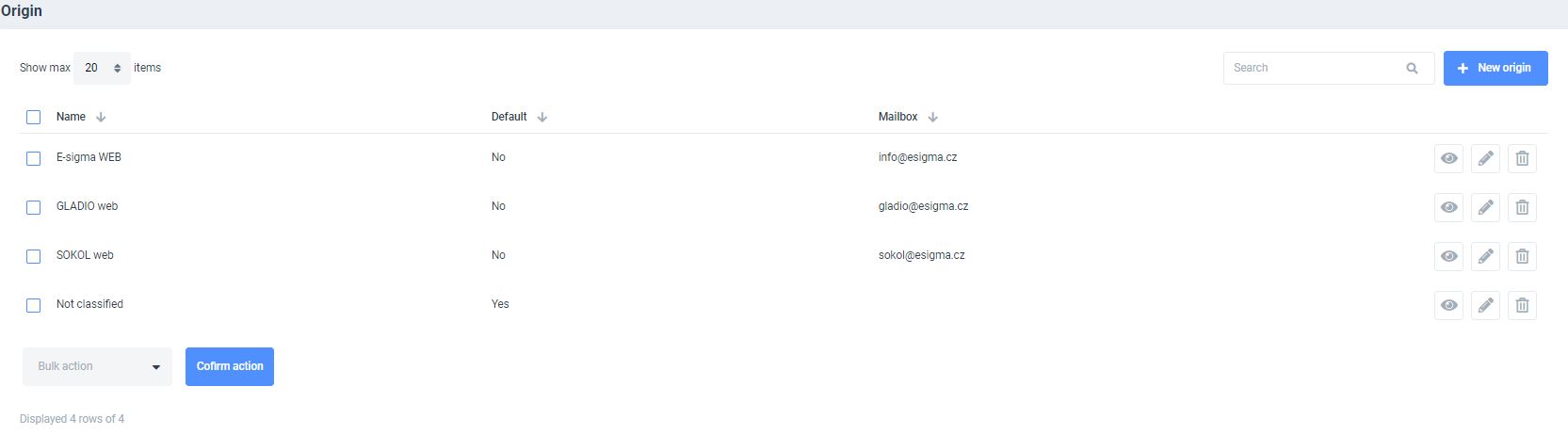
A table with all origin sources is available upon opening the submodule. A full-text search, advanced filtering and a specified item-per-page display can be performed.
Following parameters can be defined: name, default origin and email inbox.
It is also possible to choose specified actions per item such as:
- DISPLAY
- EDIT
- DELETE (only admin functionality)
New origins and group actions can also be executed within the Origin Submodule with a NEW ORIGIN or BULK ACTION buttons (remove is only admin functionality).
The EDIT ORIGIN window is displayed after clicking a NEW ORIGIN or EDIT button. Parameters of the origin can be set up at this instance.
A NAME attribute can be specified for an easier origin identification. It is not possible to save any changes without an allocated name attribute.
A DEFAULT ORIGIN checkbox is another settings that that defines the default origin of the parameter.
The last parameter, MAILBOX, is a subject of previously configured pages in the Settings submodule and is accessible through a selector menu.
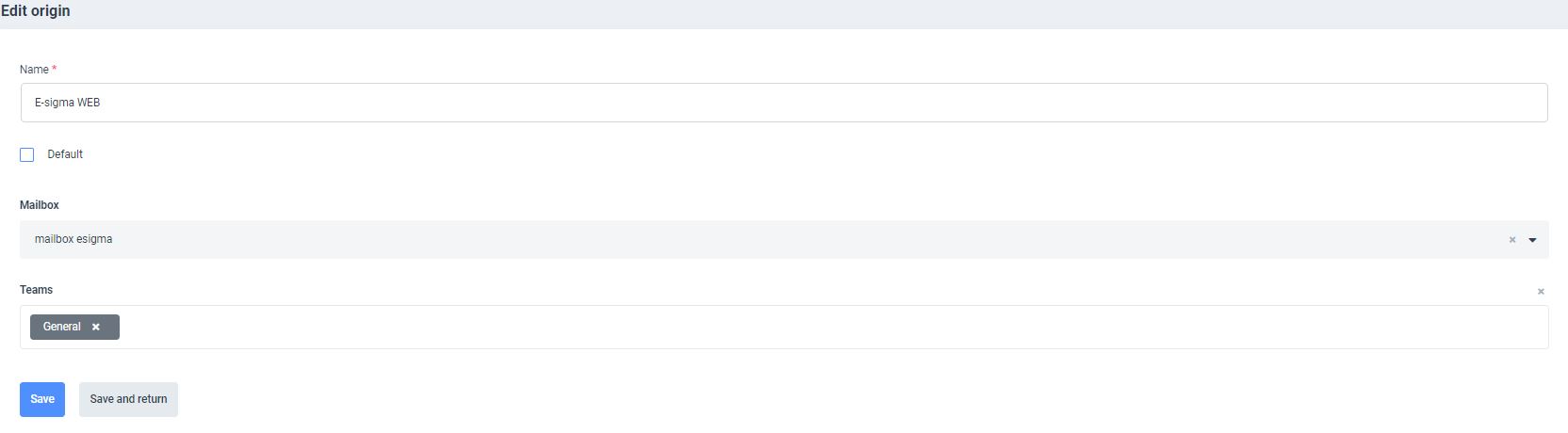
After filling out all fields it is important to save all edits. The SAVE or SAVE AND RETURN buttons can be used to save the last action. An important note: the RETURN button in the BROWSER will abort the saving process and will NOT SAVE the last performed action.

