The submodule Clients serves for gathering contact details of new and/or already existing Ticketing System clients.
Verification
Verification is a process of validating whether the client is new or already present in the system.
A new client
A client who has yet not communicated through the Ticketing System but has been registered.
Existing client
A client who has already communicated through the Ticketing System and who’s details have been uploaded into the client database manually.
A client database can be generated on an automatic system request or by a manual upload. The manual upload can however only be performed by the NexGen development team (e.g. the user of the Ticketing System must be in a possession of the end user database).
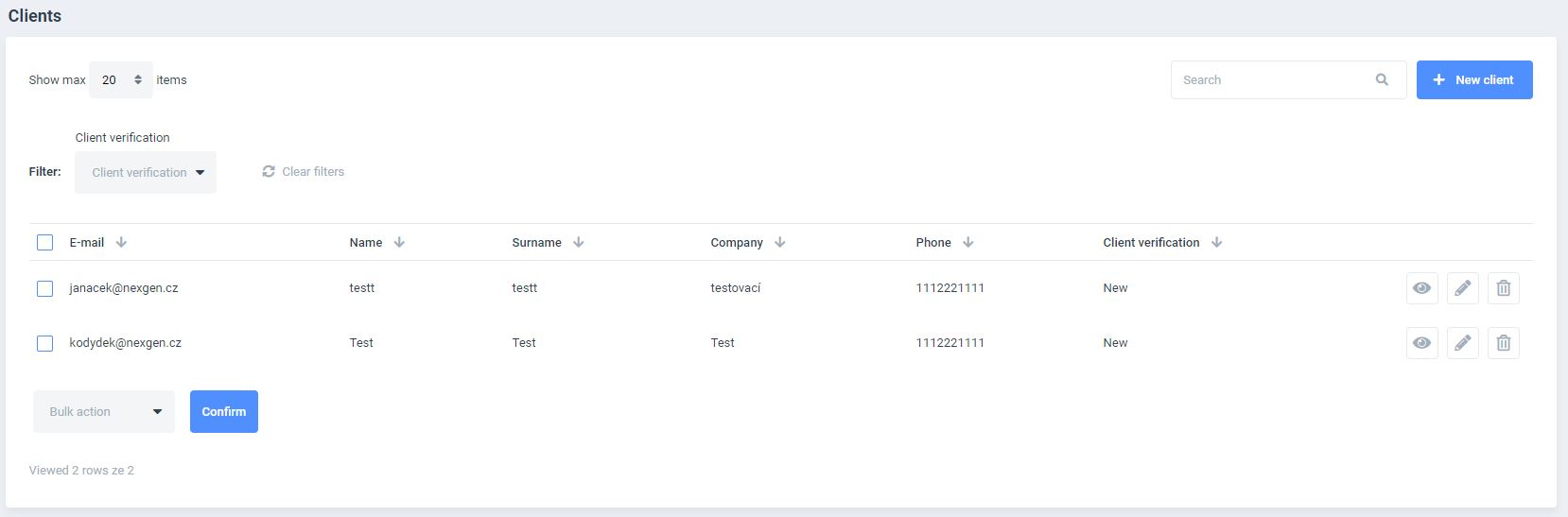
A table with a list of current clients is available upon opening the sub-module. A full-text search, advanced filtering and a specified item-per-page display can be performed as well as client verified filtering.
Parameters that can be specified are: email, name, surname, company, phone number and verification
It is also possible to perform following actions:
- DISPLAY
- EDIT
- DELETE (only admin functionality)
The submodule also allows adding new clients with a NEW CLIENT button or performing BULK ACTIONS for example a bulk verification or a bulk removal (only admin functionality).
An important functionality of bulk actions is the TICKET EXPORT. After executing a bulk action for a selected client, a PDF producing information on all client tickets is generated and downloaded.
The EDIT CLIENT window can be displayed through a NEW CLIENT button or an EDIT BUTTON. Client details such as VERIFICATION, NAME, SURNAME, COMPANY, EMAIL and PHONE can be added and edited at this instance.
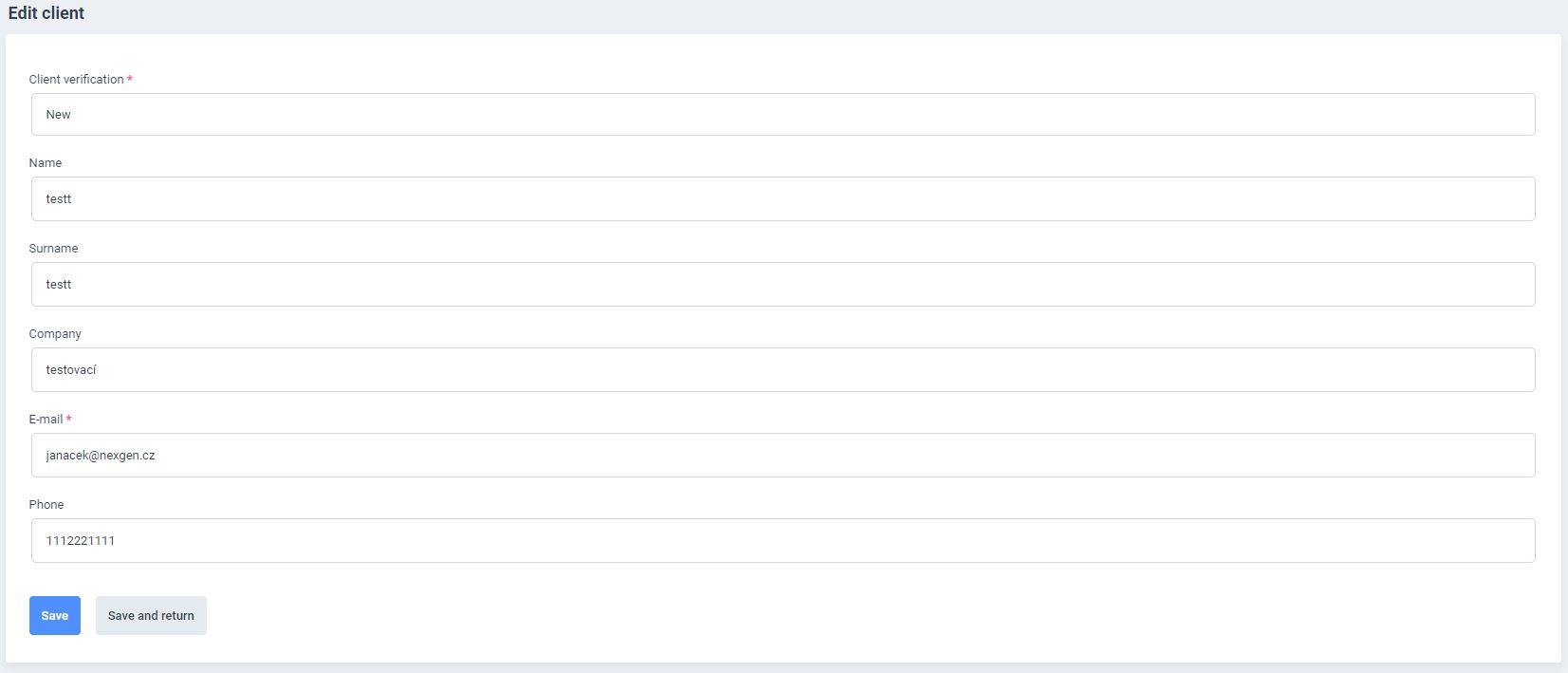
After filling out all fields it is important to save all changes. The SAVE or SAVE AND RETURN buttons can be used to save the last action.
An important note: the RETURN button in the BROWSER will abort the saving process and will NOT SAVE the last performed action.

